
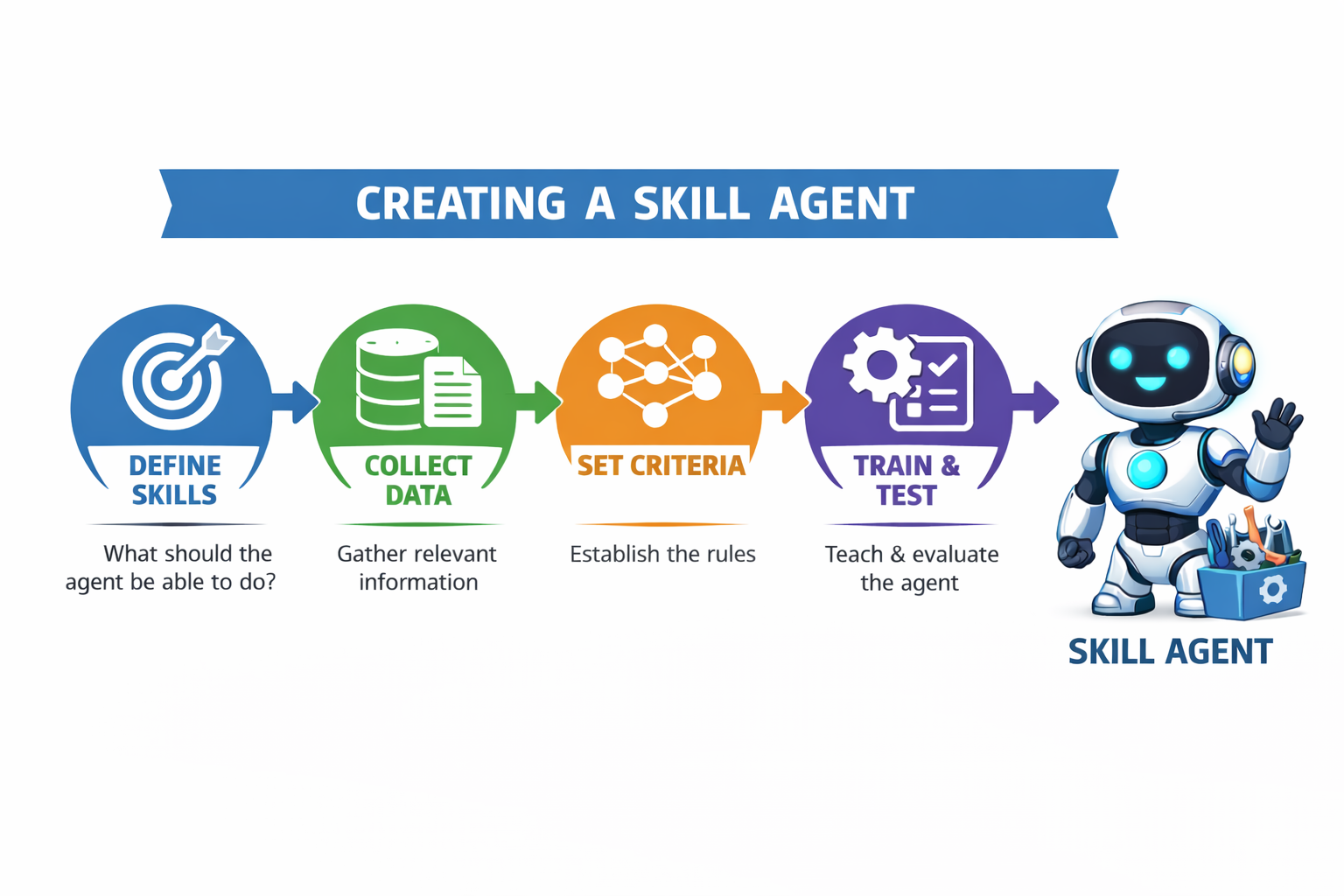
On December 18, 2025, Anthropic announced a new capability called Agent Skills. By the next day, I automated my newsletter. Here’s what I learned. And how you can do it too.
The Problem I Had (You Probably Have It Too)
Every Thursday afternoon and Friday morning, I spend about nine hours producing Under the Radar, my weekly newsletter for workers navigating AI employment transitions. Nine hours of:
- Gathering employment data from ADP, BLS, Challenger Gray
- Searching news for layoff announcements and hiring trends
- Cross-referencing Reddit threads (r/cscareerquestions, r/layoffs) for worker reality
- Writing analysis in my specific voice
- Fact-checking every claim
- Formatting for my website, Substack, and Medium
By Friday at 8am when it published, I was exhausted of the process.
I’m not a developer, but I’m not intimidated by technology either. Nearly 40 years in IT, from ops to launch manager in automotive manufacturing and tech sectors. I know my way around systems, processes, and complex workflows. I can write code if I really need to, but it’s not my strength.
When Anthropic announced Agent Skills on December 18 – a way to teach Claude AI your specific workflows – I thought: This is interesting, but probably overkill for what I’m doing.
I was wrong.
One day later, my newsletter process went from 9 hours to 90 minutes. Quality match: 98.6%.
Here’s what happened, what I learned, and how you can build your own AI agent… whether you’re technical or not.
What Agent Skills Actually Are (And Why They Matter)
Think of Agent Skills as teaching Claude AI how you do your job. Not how someone else does it. Not a generic template. Your specific process, your standards, your voice.
The technical version: You create a folder with a SKILL.md file containing structured instructions. Claude reads it and follows your workflow. If you’ve ever written process documentation or training materials, this will feel familiar.
The practical version: It’s like creating a really detailed runbook for a new team member but instead of a person following it, Claude AI executes it.
What’s new: This capability was announced December 18, 2025, as an open standard. It’s not proprietary to Claude. OpenAI is adopting it, Microsoft is implementing it in VS Code, Cursor is adding it. One skill file, works everywhere (soon).
Plan requirements: Currently, Agent Skills in Claude requires a Pro, Team, or Enterprise plan ($20/month for Pro). As other platforms adopt the standard, they’ll set their own access requirements—likely similar paid tiers given the computational resources required.
Why it matters: Whether you’re technical or not, you can teach AI your workflows without writing actual code. If you can document a process, you can build a skill.
My First Attempt (And What It Taught Me)
I wanted to automate everything immediately. Data gathering, newsletter writing, wayback archiving, social media posting. All of it.
Mistake #1: I tried to automate my most important thing first.
I started with data gathering, a huge time commitment as I monitor 40+ sources for employment intelligence. This is the highest-value work I do. It feeds everything: newsletters, dashboard, grants, B2B intelligence, in-depth articles.
It was also too complex for my first build.
After hours of trying to wrangle multiple data sources, APIs I didn’t understand, and formatting issues, I had… nothing that worked.
The lesson: Don’t automate your most important thing first. Pick a “training wheels” project.
The Training Wheels Strategy (Start Here)
I stepped back and looked at my three newsletters:
Under the Radar (UTR):
- Weekly career intelligence for workers
- Score: 25 points (moderately important)
- Uses foundation skills I’d already documented
- Clear success criteria (matches my voice and standards)
- Safe to experiment (not mission-critical)
PivotIntel Weekly:
- Infrastructure intelligence for communities
- Score: 24 points (also important)
- More complex structure
- Higher stakes (cited by policymakers)
Data Gathering:
- Feeds everything
- Score: 33 points (highest value)
- Most complex
- Mission-critical
My decision: Start with UTR. Not because it’s most valuable, but because it’s the best teacher.
Why this worked:
- Foundation skills existed: I’d already documented how I write (tone, structure, citations)
- Weekly cadence: Fast iteration. I’d know in 7 days if it worked
- Clear standards: I know what “good” looks like for this newsletter
- Lower stakes: If it fails, I haven’t broken my most important process
- Reusable patterns: Lessons from UTR apply to other newsletters
Your version: Pick something you do repeatedly, know well, but won’t destroy your work if the first attempt isn’t perfect.
Building the Skill (Easier Than You Think)
I used Claude to help me build the skill. Yes, I used AI to teach AI how to help me. Meta? Absolutely. Effective? Completely.
The conversation:
Me: “Help me build a skill for my weekly newsletter. Ask me questions to understand my process.”
Claude: “What inputs do you need? What’s your step-by-step process? What should the output look like? How do you know when it’s done correctly?”
I answered honestly:
- “I gather data from these sources…”
- “I limit the use bullet points unless explicitly listing options…”
- “I always have to watch the year on employment data…”
- “My tone is direct, no fluff, Bottom Line Up Front…”
- “I use these criteria to establish inclusion and prominence as well as ranking in my top 5…”
- and so on.
Claude generated a SKILL.md file. I reviewed it, tweaked a few things, saved it.
Time investment: About 2 hours.
The file structure:
utr-newsletter/
├── SKILL.md (instructions for Claude)
└── foundation-skills/
    └── SKILL.md (my writing standards)
The newsletter skill referenced my foundation skills. This is the pattern that works: specific skills built on reusable foundations.
The Quality Check (This Part Is Critical)
First newsletter draft from the skill: Thursday afternoon, December 19, 2025.
My process:
- Read the draft side-by-side with newly minted weekly and previous newsletters
- Check every factual claim against sources
- Verify tone matches my voice
- Look for the errors I typically make manually
The results:
What worked (98.6% match):
- Tone was dead-on (direct, no BS, worker-focused)
- Structure matched perfectly (BLUF, segmented for skimming)
- Citations were accurate and properly formatted
- No bullet points where I wouldn’t use them
- Natural prose, not AI-generic writing
What I still had to catch manually: Even with 98.6% quality, I found an error in the draft. Employment data was citing 2024 figures when it should have been 2025. The skill didn’t catch it because the source it pulled was dated 2024.
This is the reality check: the skill is excellent at following your process, but you still need human judgment on factual accuracy and source quality.
What needed adjustment:
- One headline was too generic (I rewrote it)
- A transition between sections felt abrupt (I smoothed it)
- One citation needed a more specific source (I found it)
Time to review and adjust: 90 minutes Thursday evening, final polish Friday morning (down from 9 hours across both days)
Published Friday 8am: On schedule, on quality, with 7.5 hours back in my week.
What To Do If Your Quality Check Fails
If your first attempt is 60% match instead of 98%:
Week 1 Problems (Common across all tasks):
Issue: Tone is off (too formal, too casual, not “you”)
Fix: Add specific examples to SKILL.md
- “Good example: [paste something you wrote that sounds right]”
- “Bad example: [paste generic version of the same idea]”
- “Why the difference: [explain what makes your version better]”
Real examples:
- Email responses: “My version says ‘Let’s sync tomorrow at 2pm.’ Generic says ‘I would appreciate the opportunity to schedule a synchronization meeting.'”
- Reports: “I lead with conclusions, then evidence. Not the other way around.”
- Client communications: “I use plain English. Never say ‘utilize’ when ‘use’ works.”
Issue: Missing your specific standards
Fix: Document what you keep correcting
- Formatting preferences (“Use em dashes—not hyphens—for emphasis”)
- Decision rules (“If data is older than 30 days, flag it for review”)
- Quality gates (“Every recommendation needs a concrete next step”)
Real examples:
- Project updates: “Always include blockers section, even if empty (shows I checked)”
- Meeting notes: “Action items go at top, not buried in discussion”
- Data analysis: “Round percentages to whole numbers unless showing change over time”
Issue: Wrong structure or organization
Fix: Add explicit structure requirements
- “Section 1: [purpose] – [length] – [what goes here]”
- “Section 2: [purpose] – [length] – [what goes here]”
- “If X condition exists, add Section 3 for Y”
Real examples:
- Status reports: “Red/Yellow/Green summary first. Details only for Yellow/Red items.”
- Research summaries: “Answer the question first. Then supporting evidence. Then methodology.”
- Client proposals: “Problem → Solution → Timeline → Cost. Never start with methodology.”
Week 2-3 Problems (Refinement stage):
Issue: Quality improved but still not quite your voice/style
Fix: Show failed examples with corrections
- “AI generated: [paste what it created]”
- “What I want: [paste your rewrite]”
- “Key difference: [explain specifically what changed and why]”
Real examples:
- “AI version was accurate but boring. I added specific example to make it concrete.”
- “AI used passive voice (‘mistakes were made’). I changed to active (‘the team missed the deadline’).”
- “AI gave three options with equal weight. I ranked them and said which I recommend.”
Issue: Inconsistent quality across different parts
Fix: Create component-specific guidelines
- “Introduction: Always [specific requirement]”
- “Analysis section: Minimum [specific standard]”
- “Recommendations: Must include [specific elements]”
Real examples:
- Emails: “Subject line = action needed + deadline. Body = context in 2 sentences max, then request.”
- Reports: “Executive summary = conclusions only. Details go in appendix.”
- Project plans: “Timeline shows dependencies. Budget shows assumptions used.”
The universal pattern:
Treat the skill like training a new team member. When they produce something that’s not quite right:
- Don’t just fix it – explain why it needs fixing
- Show good vs. bad examples – concrete beats abstract
- Document your decision rules – “when X, do Y”
- Add your judgment calls – the things you do intuitively
Remember: You’re not aiming for the AI to replace your judgment. You’re teaching it to handle the mechanical parts of your process so you can focus on the parts that need human expertise.
Building Better Criteria Over Time
Month 1: Foundation
- Document your obvious standards
- Test weekly, note what needs correction
- Add examples of good vs. bad
Month 2: Refinement
- Capture your editorial voice more precisely
- Add edge cases (“when X happens, do Y”)
- Document your fact-checking process
Month 3: Optimization
- Fine-tune for consistency
- Add quality gates (“if less than 3 citations, flag for review”)
- Streamline the parts that work
My timeline (actual):
- Week 1 (Dec 18-19): Thursday afternoon draft, 90 minutes review + Friday morning polish, 98.6% match, published 8am
- Week 2 (projected): Expecting 95%+ as I refine based on first iteration
- Week 3+: Should hit 99% with minor edits only
Your timeline will vary based on:
- Complexity of your task
- How well you can articulate your standards
- How much iteration you’re willing to do
Key insight: You’re not aiming for 100% automation. You’re aiming for a really good first draft that you review and approve. Think “smart assistant” not “replacement.”
The Decision Framework (What Should You Automate?)
Good candidates for your first skill:
✅ Repetitive: You do it weekly/monthly/regularly
✅ Documented: You can explain the steps
✅ Measurable: You know what “good” looks like
✅ Not mission-critical: Safe to experiment
✅ Time-intensive: Currently takes 2+ hours
Bad candidates for your first skill:
❌ One-off projects: Won’t get ROI on setup time
❌ Vague process: You do it “intuitively” but can’t explain how
❌ High-stakes: Your most important work (save this for later)
❌ Requires external access: Needs APIs/integrations you don’t understand yet
❌ Quick tasks: Already takes 15 minutes, automation overhead isn’t worth it
The ranking exercise I did:
I listed 28 tasks, scored each on:
- Time saved: How many hours per week?
- Repetition: How often do I do this?
- Impact: How much does this matter?
- Complexity: How hard to automate?
My top 3:
- Data gathering (33 points) – TOO COMPLEX for first attempt
- PivotIntel newsletter (24 points) – Higher stakes, way more variables
- UTR newsletter (25 points) – Perfect “training wheels” project
Your version: Use the ranking matrix in the hub to identify your best starting point.
The Three Paths (Choose Based On Your Needs)
I built an educational hub to help others do what I did. Three paths depending on where you are:
Path 1: Quick Start (10 minutes)
Best for: “I just want to try something right now”
Three options:
- Use pre-built skills (Atlassian, Notion, Figma, etc.)
- Describe what you want (Claude interviews you and builds it)
- Use my newsletter template (customize for your workflow)
Time: 10 minutes to first result
Skill level: None required
Outcome: Working skill, needs refinement
Path 2: Complete Guide (90 minutes)
Best for: “I want to understand the methodology”
What you get:
- Full 8-part process (what I used)
- Foundation + specialized pattern
- Quality check framework
- Real examples with honest timelines
- Decision framework for choosing what to automate
Time: 90 minutes to learn, 2-3 hours to build
Skill level: Can follow instructions
Outcome: Custom skill built your way
Path 3: Developer Docs (as needed)
Best for: “I need API integration and technical specs”
What you get:
- YAML frontmatter specifications
- Python/JavaScript examples
- Version control workflows
- Enterprise deployment patterns
Time: Variable
Skill level: Technical background
Outcome: Production-grade implementation
Hub link: theopenrecord.org/resources/agent/
Why This Matters Now (The Bigger Picture)
I publish Under the Radar and PivotIntel to help workers navigate AI employment transitions. The intelligence I track is sobering:
- 182,963 tech layoffs in 2025
- Data centers creating 30-50 permanent jobs while consuming resources for thousands
- Implementation barriers collapsing (companies can now deploy AI without specialist hiring)
The workforce transition is happening whether we like it or not.
Workers have two choices:
- Resist the technology (and become less competitive)
- Learn to use it as leverage (and stay relevant)
Agent Skills represents the first time non-technical workers can teach AI their workflows. This isn’t about replacing yourself, it’s about amplifying what makes you valuable.
My example:
- Before: 9 hours on newsletter execution, minimal time for investigation
- After: 90 minutes on newsletter review, 7.5 hours for deep investigative work
The AI didn’t replace my judgment, my sources, or my voice. It freed me to do more of what only I can do.
Your version: What would you do with 7.5 extra hours per week?
The Honest Part (What I’m Still Building)
Working (Dec 19, 2025):
- UTR newsletter automation (98.6% quality, production-ready)
In Progress:
- Data gathering intelligence (currently collaborative, not automated)
- PivotIntel newsletter (using UTR patterns, building next)
- Wayback archiving (batch processor works, failure recovery manual)
Not Started:
- Social media automation
- Grant application frameworks data gathering
- B2B intelligence briefs
Why I’m telling you this: Most AI content shows you the success story. I’m showing you the reality.
Building Agent Skills is iterative. You don’t automate everything at once. You start with one thing, learn the pattern, apply it to the next thing.
My roadmap:
- Week 1 (Dec 18-19): UTR newsletter ✅
- Week 2 (Dec 27-28): PivotIntel newsletter (in progress)
- Week 3 (Jan 2-3): Data gathering automation (highest value, saving for when I’m confident)
Your roadmap: Start with training wheels. Build confidence. Scale complexity.
Start Here (Literally Right Now)
Option 1: Use the quiz (2 minutes) Go to theopenrecord.org/resources/agent/, answer 3 questions, get a recommendation.
Option 2: Try the Quick Start (10 minutes) Pick the easiest option, see if it works for you.
Option 3: Read the Complete Guide (90 minutes) Understand the full methodology I used.
What you need:
- Claude Pro account ($20/month) or Team/Enterprise
- A task you do repeatedly
- 10 minutes to 2 hours depending on path
What you’ll get:
- Time back in your week
- A skill that improves over time
- Proof that you can work with AI instead of being replaced by it
The Question I’m Asked Most
“Aren’t you afraid AI will replace you if you teach it to do this?”
Here’s my answer: AI can gather data faster than I can. It can format newsletters perfectly. It can even match my writing voice at 98.6% accuracy.
But AI can’t:
- Decide that Michigan data centers deserve investigation
- Make obscure connections and take the conversation in a new direction – it’s fairly linear
- Connect power grid failures to community leverage
- Chat with workers about their actual experience vs. official statistics
- Determine what intelligence workers actually need vs. what sounds impressive
The skill I built doesn’t replace me. It handles the mechanical work so I can focus on judgment, critical thinking, investigation, and accountability.
That’s the difference between “AI is taking jobs” and “workers who use AI are taking jobs from workers who don’t.”
Build the skill. Keep the judgment.
Resources
Agent Skills Hub: theopenrecord.org/resources/agent/
My Newsletters (examples of the output):
- Under the Radar: theopenrecord.org/category/under-the-radar
- PivotIntel Weekly: pivotintel.org/newsletter
Questions? angela@theopenrecord.org
About The Open Record: We provide intelligence for workers and communities navigating AI infrastructure development. Our work focuses on employment transitions, data center impacts, and giving workers the tools to adapt rather than just documenting their displacement.
Published: December 21, 2025
Author: Angela Fisher
Word Count: 2,847 words
Reading Time: 11 minutes
This article was written with assistance from Claude AI—specifically, the foundation skills and editorial standards I documented became the basis for our collaboration. The judgment, investigation, and worker-first framing? That’s all human.